
 Name: Boyinks4Adventure
Blog: http://boyinks4adventure.com
Profession: Web developer, author and teacher.
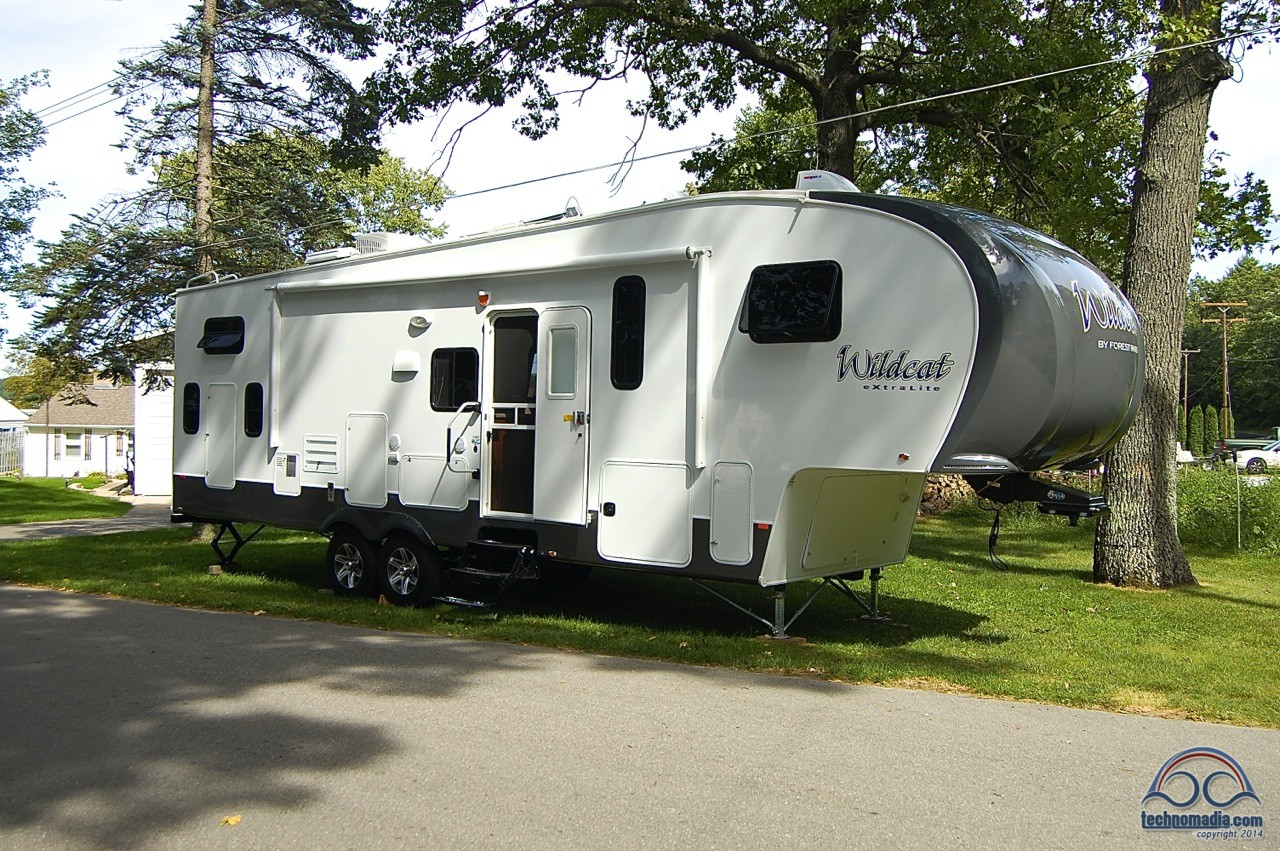
RV: 2014 312 BH Wildcat Fifth Wheel
On the Road Since: September 2010
Workspace Goal:
When we first were thinking about hitting the road fulltime I was convinced I would be able to create an office setup where I could have dual monitors. I didn’t care about desk space or printer storage or anything else – I didn’t need that stuff. But after years of twin widescreens for web development I didn’t want to go back to a single monitor.
I ended up back on a single screen.
Our first fifth wheel was 30′ long and just didn’t have enough room. We don’t watch traditional TV so I had that space to work with but it was all wrong – too high and too deep. I learned to work most days in a comfy chair with my laptop on my lap.
But that first trailer came with a little table that clipped onto a rail mounted to the side of the trailer, along with a grill. The grill bit the dust but the table was perfectly-sized for my laptop, at a good height to work at standing up, and was located next to a power plug. I started working there on nice days, under the awning, with a nice camp chair to drop into if I got tired of standing. It provided a nice respite from being inside, trying to focus in the middle of meal prep or home school activities.
We had to replace that first RV and the new one came with an unexpected surprise. There was an optional outdoor fridge that we didn’t get as it would cost some really nice drawers in the kitchen. But it came with the exterior door (that you would access the fridge through) installed anyway, leading to a 5″ deep space that on initial glance almost seemed useless for much more than hose storage.
It occurred to me that this compartment was in the same location I used to work at on the first RV – under the awning, next to a power plug, at a standup height. I claimed it as my future office space.
I saved that little table from the first RV and mounted it inside the compartment. Power was right next door for the refrigerator so it was easy to install another 120v plug on the compartment sidewall. A Command brand smartphone holder holds my iPhone in place.
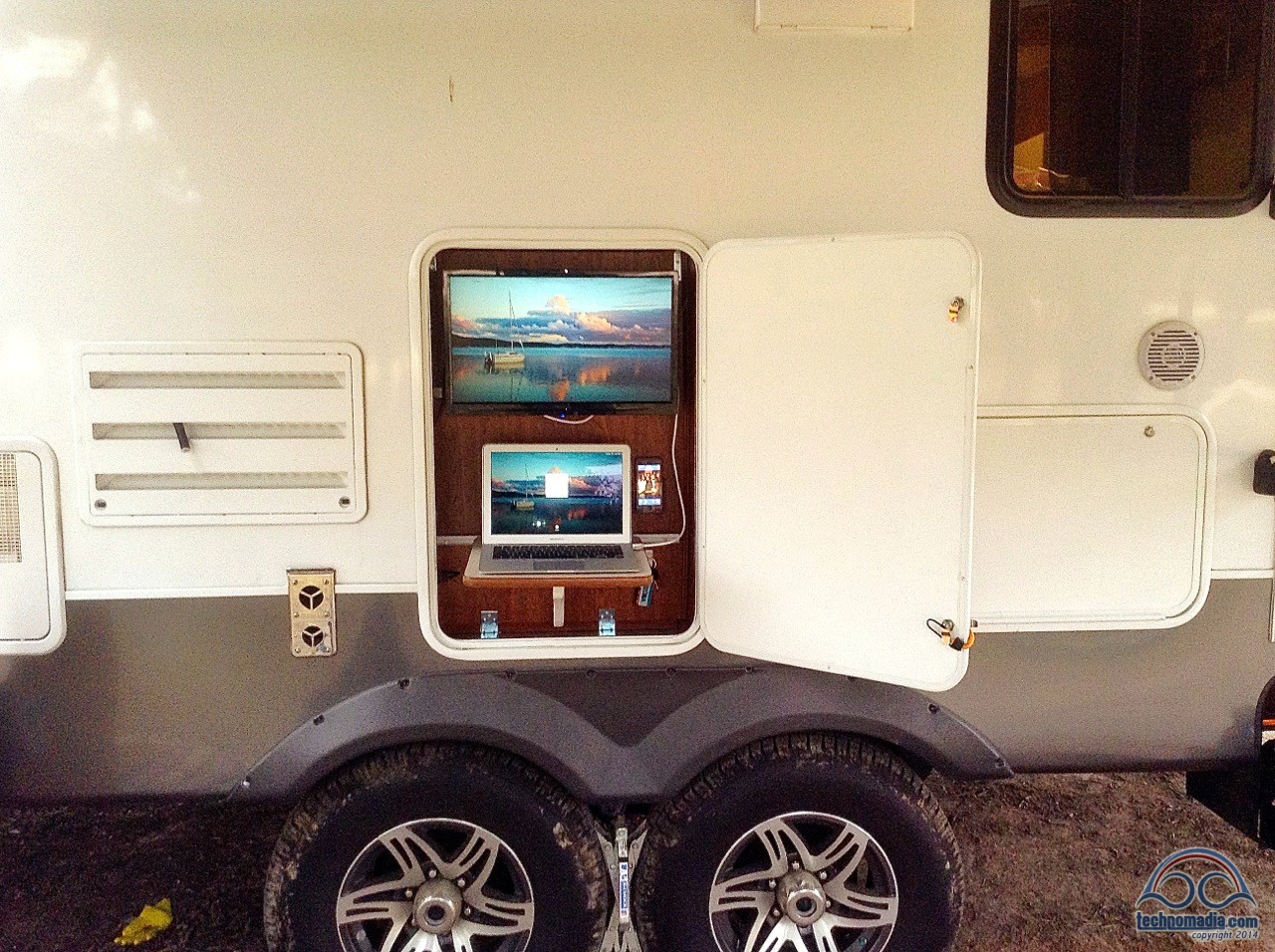
But there was still more room – enough for the greatly-missed second monitor. I found a 22′ widescreen that fit well, and ordered it with a shallow wall mount. It clips onto the mount nicely and will remove for transport. It all fits behind the closed and locked compartment door when not in use.
There is enough room under the laptop shelf for a coffee cup, and I plan to glue some whiteboard on the back of the compartment door. With various hardware & the second monitor I’ve spent probably $200 on this.
All in all I couldn’t be happier – while I can’t use this spot all the time it gives me another option during nice weather, gets it me outside and out of the chair.

This profile is part of the Change Your Office View: Full Time RVing Workstations series — we hope that by sharing what others have been able to create in their RVs will help inspire you as to what is possible to work on the road.
Previous workspace: Kim
Next workspace: Dale & Ruth
This blog is fueled by YOUR enthusiasm. Your comments help inspire the next post.. don't be shy!