
We have been doing mobile internet for nearly two decades now. Back when 3G was just emerging and satellite internet was a pain in the rear to use.
While technology has rapidly advanced over the years making internet on the go substantially faster and easier – it still takes some finesse to keep abundantly connected in a variety of locations.
We thought it time to refresh our mobile internet setup content, so we just released a new video going over our current setup:
This video goes along with our frequently updated Internet Setup post at:
You can dive into all the juicy details there, including deeper explanations for our choices, alternatives we’d consider and links to all of the options we use.
Here’s a snapshot of the highlights:
- Cellular: We still rely primarily on cellular data for our connectivity. It’s fast, it’s power efficient and we have some great data plans.
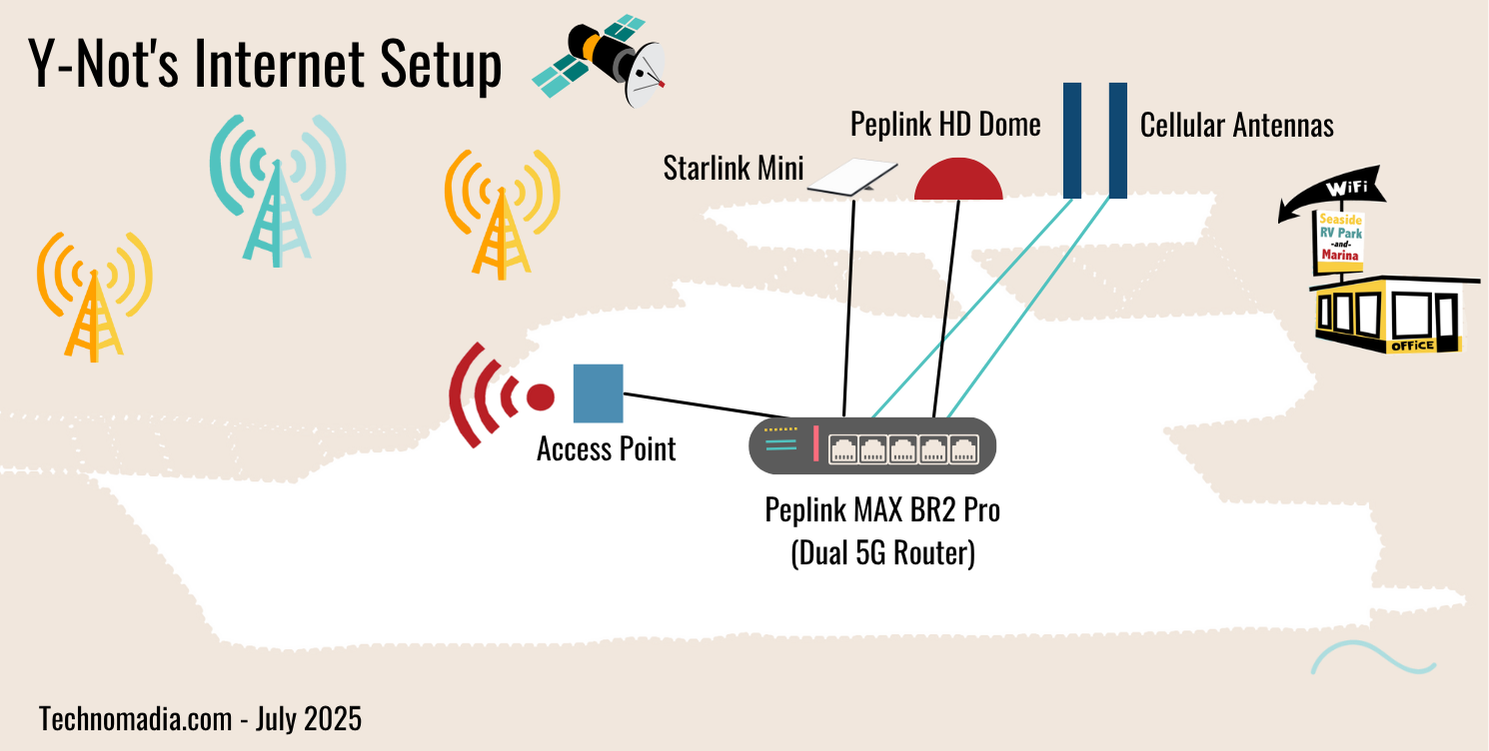
- The core of our setup is a Peplink MAX BR2 Pro 5G (provided by Peplink & MobileMustHave.com) dual 5G router with the newly released X65 modem chipset.
- Our primary data plan is MobileMustHave.com’s RoamLink plan – which roams onto AT&T, Verizon and T-Mobile with a single eSIM. We also have an unlimited T-Mobile data plan via Calyx Institute (just $41/mo!) and some legacy AT&T and Verizon plans that are no longer available. We have a smattering of other plans we keep in rotation for back-up or in phones/tablets, but we have significantly trimmed out our abundance of data plans in the past couple of years.
- For maximum signal strength, we rely on external MIMO antennas. Cellular boosters really just aren’t overly useful for cellular data anymore.
- Wi-Fi: We often find marina Wi-Fi can be quite usable, as many have invested in the infrastructure – so we use our Peplink HD1 Dome’s (which also provides another cellular input) Wi-Fi antennas to bring that in as another source of data when feasible.
- Starlink: While we keep a Starlink Mini in our arsenal, it’s usually not active. We only enable it when all the other options aren’t enough. Now that they offer a $10 for 10GB data plan, activating it as needed usually gives us enough data to get through a critical work task. We’ve honestly only needed to activate Starlink a handful of times in the past two years.
- The reasons we don’t optimize for Starlink is because generally cellular upload speeds are faster (which are super important to what we do), cellular uses less power and isn’t as subject to drop outs from obstructions & weather.
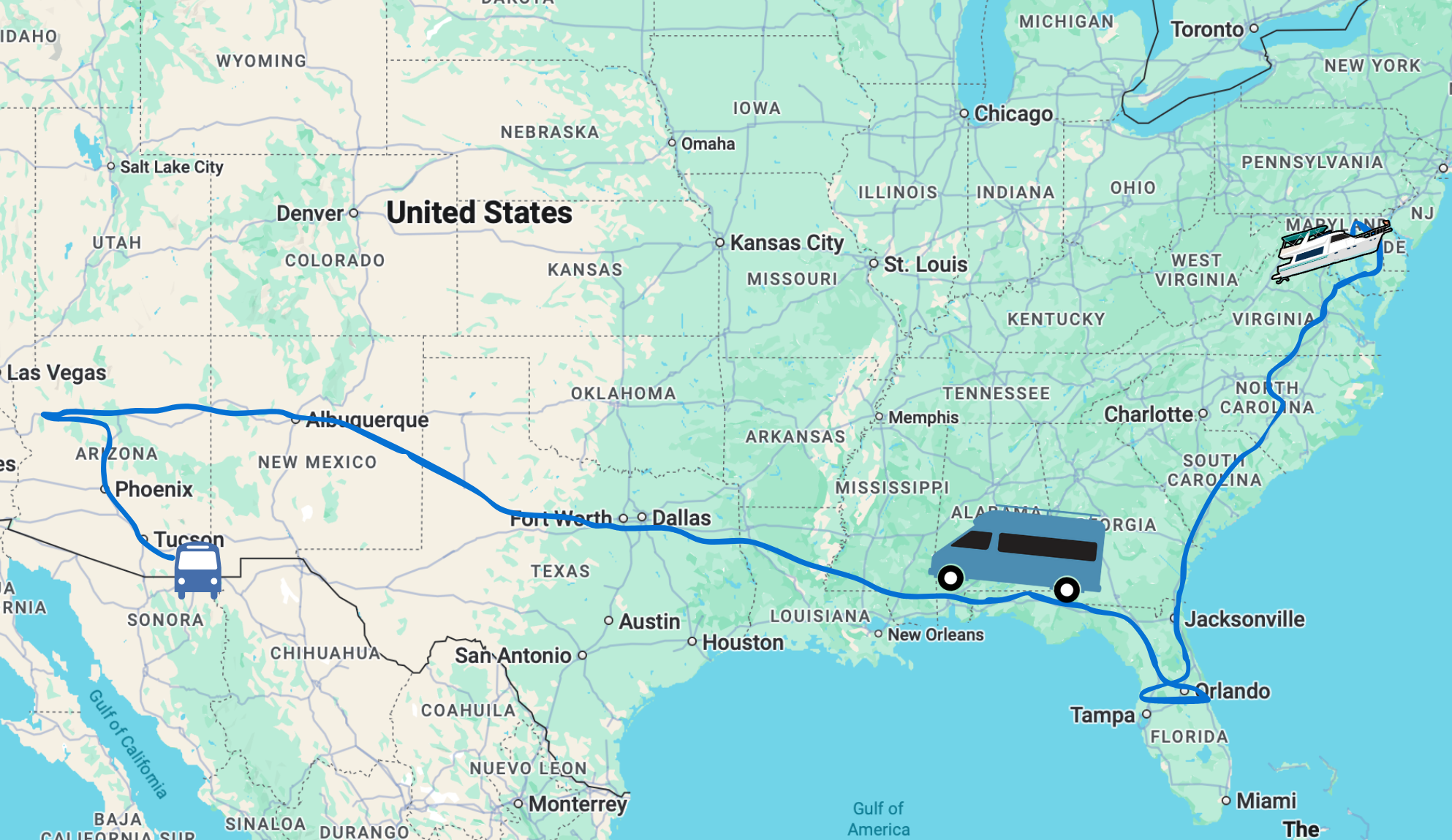
Our van and boat each have their own cellular antenna installations, and then we just move the router and Starlink dish between them as we switch seasons. We leave behind another router for the vehicle being left in storage for remote monitoring.
 As many know, tracking mobile internet has been our ‘day job’ over at the Mobile Internet Resource Center for going on 11 years now.
We offer a ton of free educational content and news over there, so head on over. If you choose to support our work to go deeper with our content, discounts & guidance use discount code ‘TechnomadiaRocks’ to save $10 on a MIA+ membership.
Hi Folks – I’m curious what piece of hardware you use to connect your tablet WiFi to your NMEA 2000 network. Assuming you do so for interface with Aqua Maps
Our tablets get GPS data (much better than the built in GPS) from our Peplink routers when connected to our local Wi-Fi network.
I have not yet bridged our NMEA bus over to Ethernet yet so the tablets do not get depth or AIS data, but that is on my todo list. I plan to rely on our Victron GX to handle this bridging, and to also act as a Signal-K server for us.
All I need to do to start playing with this is run a wire – which isn’t always the easiest chore on a boat… *grin*
Thanks, I’m not Victron fluent as we have other systems. Their offering looks very complete.
I’ve used WiFi connected Actisence and now Yacht Devices bridges to my Pepwave Apps which work great when they work. Their limited processor horsepower can lead to data instability when the network systems get heavily loaded. The next Ethernet based hardware release from Yacht Devices intends to beef-up processor and networking robustness.
Thank you! Good advice for those of us landlocked with limited internet possibilities too! 🙂