
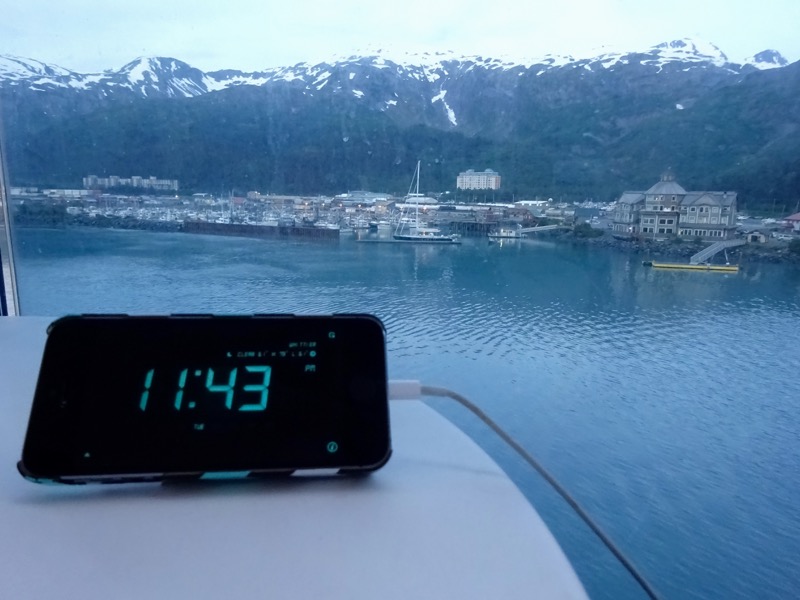
I have a hard time sleeping if there’s not a clock that I can see when I open my eyes in between sleep cycles. A quick almost unconscious glance at the time keeps my rhythm on track, and gets me right back to nestling in for a few more hours of restful slumber.
If I can’t see a clock or have to fiddle with something to see what time it is, I sometimes have a hard time getting back to sleep. Especially if we have appointments in the morning to be ready for.
However, finding a suitable clock for our varied traveling lifestyle can be a daunting task.
A battery powered clock just isn’t going to cut it for me. I need it on all of the time, and a battery powered one would drain too often. And don’t even get me started about an analog option – I grew up in a digital world.
- Since we live in a small space we want a clock that is bright enough to be seen, but not so bright that it lights up the entire room.
- We want an easy way to change the time as we frequently cross time zones.
- A small footprint would be nice.
- Oh, and super bonus if the clock can also run off 12v, so that it can be on even when we have the inverter off at night while boondocking in our RV home.
We’ve had some more traditional clocks in the past that came close (minus the 12v part), but for the past several months, I have the ideal solution!
And it takes advantage of something already central to my life.
With just a few simple and inexpensive additions to my iPhone, I now have my ideal travel alarm clock.
Step 1: Smartphone
The first step to this solution is a smartphone or other mobile device. There’s a clock already built in, they’re geo-aware and can auto-adjust to the current time zone (or manually if you prefer).
And for me, I already sleep with my iPhone on my nightstand. So it totally makes sense to add functionality to something I use everyday and would be carrying with me everywhere I’d travel.
Step 2: iHandy Alarm Clock App
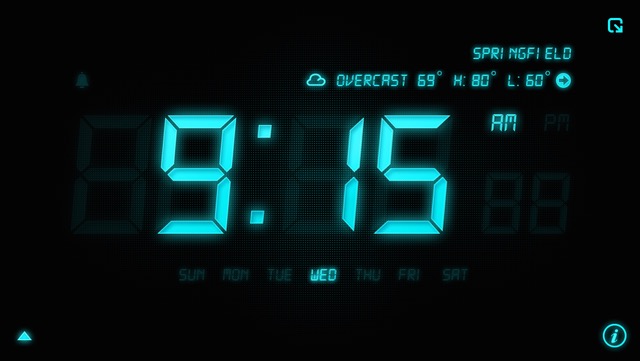
 This super simple and super effective app by iHandy (available for iOS | Android for just 99 cents) turns the smartphone screen into a customizable elegant clock.
You can choose the color of the display, and the numbers look just like an iconic digital alarm clock.
Some bonus features beyond what an alarm clock can provide that I love about this app:
-
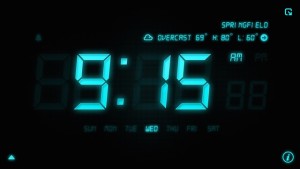
Love the elegant, simple and informative display! You can set up multiple alarms and can use your music library if you prefer
- Easily dimmable just by sliding your finger up and down on the screen
- It displays the day of the week – which us nomads have trouble remembering sometimes.
- It can display your current city – which is super helpful for those of us who often forget where we fell asleep last night, or even moved locations while we were sleeping.
- Displays the current weather and forecast for the location.
- You can set the app so that if you shake the device it instantly converts your alarm clock to a flashlight.
- You can choose how long the clock stays lit depending upon if the smartphone is plugged in or not.
Step 3: 12v Power
To get my preferred 12v power, Chris earlier this year hardwired in 4 USB Charging Stations throughout the bus – including one on each of our nightstands. This makes it super easy for us to keep our gadgets all charged up at night – even if the inverter is off.
This means my iPhone Alarm Clock can stay on all night long right on my nightstand and I can super dim the light so it’s not shining in my eyes. And when I wake up in the morning, I’m always starting with a full charge on my phone.
And as a bonus, this alarm clock can also work off standard 110 AC power, while plugged into one of our laptops or an external battery source if an outlet isn’t available. Versatility is awesome.
Step 4: A Stand
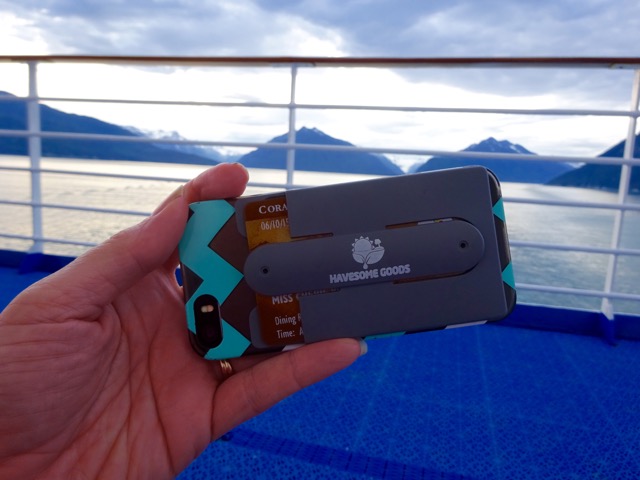
Next, I needed a way to prop my iPhone up so that the alarm screen is visible. Of course, I could just prop it up against anything else that is on my nightstand – like a tissue box. But I was finding that to not be as reliable as I’d like.
There are some cases out there with built in stands, and super simple smartphone stands that you can purchase.
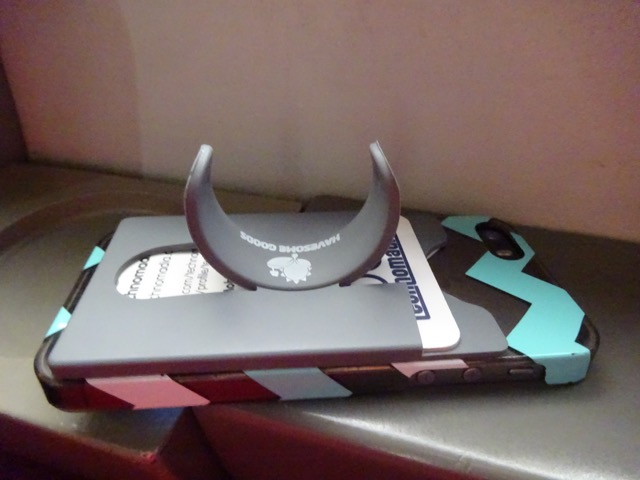
However I was inspired by the stick on card holders that my mother had found that can attach to any case or even directly to a phone. This would address my desire to just carry a credit card, ID or key card with me when going out for a walk.
When looking for such a thing on Amazon I found something even better – the 2-in-1 Silicone Mobile Holder Self Adhesive Slim Phone Stand and Mobile Wallet by Havesome Goods. A card holder PLUS a stand that I could add to my existing basic case.
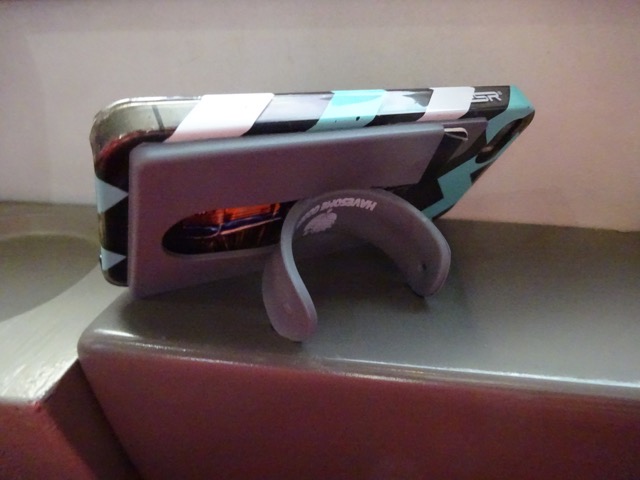
I’ve been using it for a couple months now, and I think it’s one of the most innovative multi-purpose upgrades to my smartphone.
I can now carry a couple cards and have an instant stand anywhere I like. I’ve also found that holding my phone in one hand is a lot easier now with the stand deployed.
I love multi-purpose gizmos that add functionality!
My Travel Clock Solution
1 part smartphone, 1 part mobile app, 1 part stand and multiple charging options and I now have my perfect everyday and travel clock solution.
And it cost less than $10 to add-on to my existing smartphone.
It’s been so perfect and portable.
Not only does it work great for our RV bedroom, it’s been a perfect companion on our current multi-modality Alaskan adventure.
We had an instant clock in our train roomette, our cruise cabin and when staying in guess rooms, hotels and hostels.
We know it’s always accurate, tuned into the local time, and we wake up to knowing where we are and what the weather is like.
And my smartphone is guaranteed to start the day fully charged and ready to go.
Score!
Have a question re the ihandy app. I read reviews on my 5s app store and it says there is a memory leak causing it to use 40 gig. Not even sure what that means in terms of an app but it was a recent review written in September by someone who says he has used the app several years and it’s a recent phenomenon. Your thoughts? He did not know whether the paid version suffered the same problem as he had the free version. He said clearing memory reset it but it does it again, accumulating the leak,
I think you mean 40MB, not GB? Mine is currently only using 39.8MB of storage space.. which seems about normal for apps.
Cherie, he wrote GB not MB. It’s the #1 review on the free version of the clock app for ihandy. It won’t let me copy and paste or I would.
I am glad I found your blog (via Gonewiththewynns).
I have been searching and asking others about a 12v clock for quite awhile now-zip,zero,nada. problem solved thanks.
I have been using my iPhone plugged in and just asking Siri what time is it,what is the temperature outside,etc.. that is still a little wanting but works.
I was all set to use your solution until I read the comment about the clocks with motion sensor. Tada problem solved.
Thanks
Happy Trails
Dave
Thank you for bringing this to my attention! This is a great idea I’d never considered.
Note to android users: I don’t know about the pay version of this app, but the free version is very invasive, privacy wise. If you want to go no-cost, I’d recommend trying https://play.google.com/store/apps/details?id=com.apalon.myclockfree&hl=en
I may be a bit paranoid, but I’ll never understand why a clock needs acess to personal information like my call history. And that’s probably the least offensive information the free version wants access to.
Love my iPhone! Thanks for the tip on the app, Cherie!
I see you are in Fairbanks, and it is almost the solstice! Set that alarm for 3 AM and go outside for a daycap! Don’t forget the sunscreen! 🙂
We’ve had white nights most the journey up here – so fun!
You paid $10 to have a smart phone alarm? My verizon phone has a perfect alarm!!
Not just an alarm (that is built in of course), but an always on when I want it travel CLOCK.
You would not want to travel with mine…at least not in your current mode. It is too large. You need the phone so why not use it 😉
I have a similar set of requirements but solved it differently. I used a battery powered clock….take a look at this one – it really is great. And the batteries last at least a year….no issue with them at all. I’ve had this clock for a couple of years now and it is pretty much perfect in use. Of course it is a single-function device, and larger (a little) than the phone.
http://www.amazon.com/gp/product/B000UUKOL0?colid=7TPVS8ZT63NV&coliid=I26ILL9RYEKBY1&ref_=wl_it_dp_o_pd_nS_ttl
Cool.. this would have been a great option before I put together this setup. I think I’m spoiled now with the simplicity and multi-use 🙂
Alaska night, so beautifully confusing! 🙂
Indeed they are.. hard to convince yourself to get a full night’s sleep.
Another perfect solution. Thanks for sharing!
You’re quite welcome.. I just love simple solutions.
You are my hero this morning–I too can’t sleep if I can’t see the clock–we boondock and of course there is no clock–now there will be!!
So glad I’m not the only one.. hope this solution works for you too!
Very cool!