
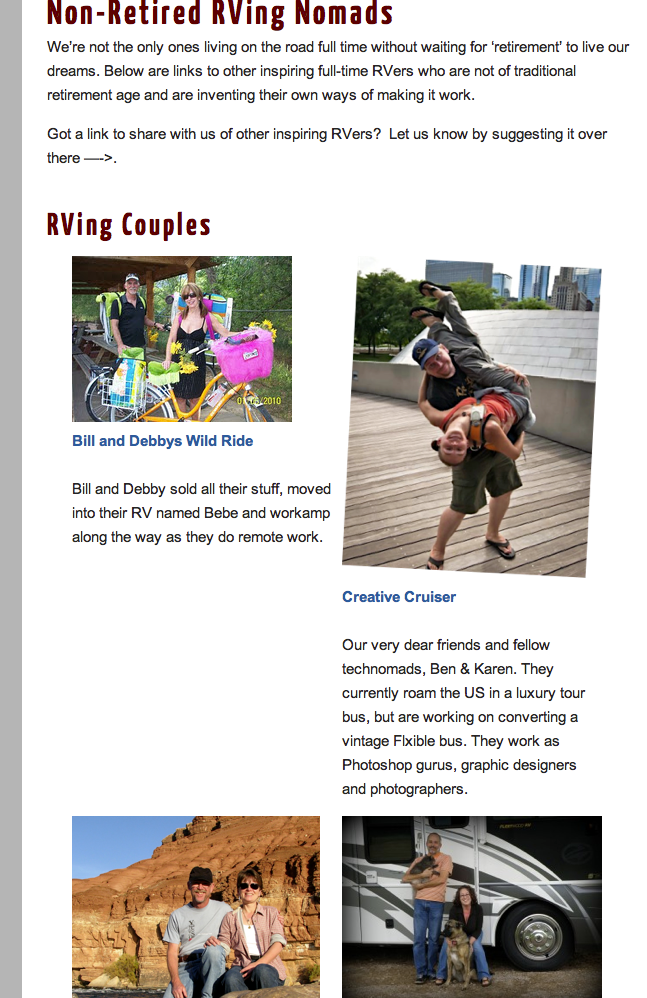
Since we launched our new WordPress theme for our blog a couple months ago, I’ve been tweaking and re-organizing things as I find a spare hour here and there. After nearly 5 years of keeping this blog with over 400 posts now, we have a lot of content accumulated, and we wanted to make it easier to access.
Both for our readers, and honestly – for ourselves.
I’ll go through some of the subtle changes we’ve made, and show you how I did them in case any other WordPress admins out there want to do something similar.
Menu Changes
One of the features of WordPress I’ve been taking advantage of is creating a custom menu to navigate our site, instead of just accepting a default of having either Pages or Categories.
If you poke around at the top of any page on our site, you’ll see a lot of direct links to different topics we’ve covered – both in posts, as well as information pages.
Blog Admin Tip: You can find the option for custom menus under the ‘Appearance’ section of your dashboard. From there you can drag and drop pages, categories, posts and custom links into a menu. Be sure to set the option in the upper left corner so that your Primary Website Navigation (or whatever your theme might call it) is set to the menu you design.
Some of the highlights of the custom menus I’ve created include:
Chapters
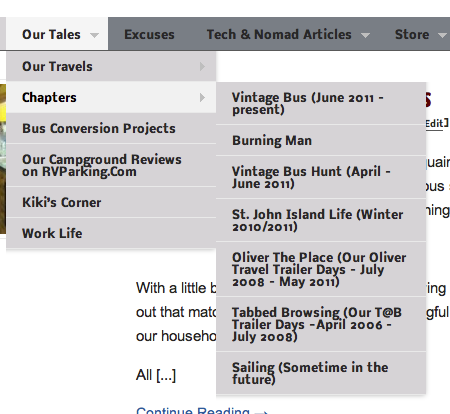 Our travels over the past 5+ years can best be summarized in different chapters. So I spent a bunch of time going back through our archives (what a fun trip down memory lane!) and categorizing posts .
So now you can quickly access our stories from the road from our first adventures in our 16′ Tab (which we’re calling ‘Tabbed Browsing‘), our days in the Oliver (or, ‘Oliver the Place‘) and now our current chapter of living in our vintage bus.
To access the chapters, click on the ‘Our Tales’ menu at the top of any page on our site – and then scroll down to ‘Chapters’.
Technical Series
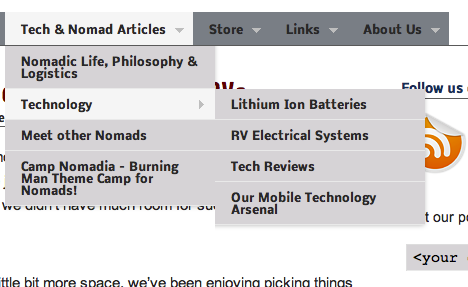 Also by categorizing past topics, I’ve grouped together technical articles that are related to one another. We’re always getting asked to refer back to articles we did on various projects we’ve approached, so this will make it easier to find that information.
This all started because I wanted to create a simple link to bring together all of the posts Chris is writing on Lithium Ion Batteries. So this structure will give us a great place to start grouping together other such projects we approach in the future (such as solar, our propane-free conversion, etc.)
To access the technical articles, click on the new menu item at the top of our site for ‘Tech and Nomad Articles’ and scroll down to ‘Technology’.
In addition to the new menu access, folks can now bookmark the entire Lithium Battery series by simply going to : https://www.technomadia.com/lithium
Blog Admin Tip: We use a WordPress plugin called ‘Redirection‘ to manage creating custom URLs. The Lithium Link above actually just re-directs to the category page for our lithium series. It also automatically creates re-directions for any post that we might change the name or date of.
Link Love
There are a lot of great websites and blogs out there of amazing people doing amazing nomadic things. And we love to share the link love.
However, our link page was starting to get very difficult to maintain. I don’t like just listing a website name with no explanation – I prefer to give you a bit of introduction to the people behind the site and why we think they’re fantastic. So the default style of a simple blogroll just didn’t do it for me, and I had been hand maintaining a link page.
But that got cumbersome, and thus far out of date. When I went back through it a couple weeks ago, I discovered that many of the sites no longer existed or had long ago been left stagnant with no updates.
I wanted a new way to manage our links, display them in an attractive informative way and provide a way for our readers to introduce us to new sites. And I think I found it!
New Link Pages
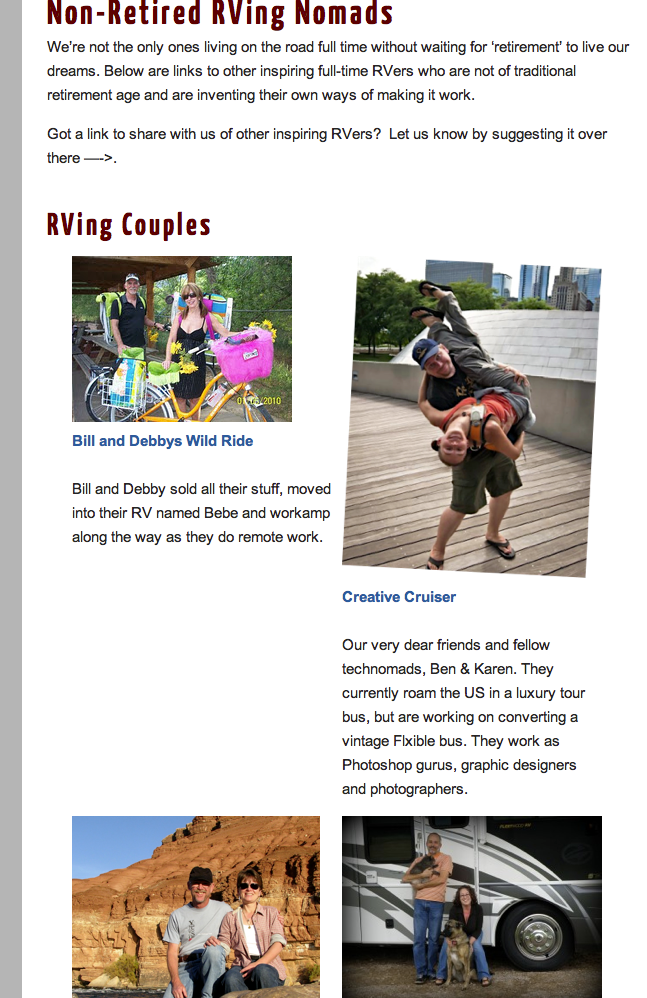
I decided to see what was available for utilizing the Links/Blogroll feature built into WordPress, and found a great plug-in called WP Render Blogroll Links that allows me to list more than just a blog name!
Using this plug-in and some CSS, I was able to create categorized link pages that display an image, a blog name and a blog description. And it’s so easy to create a page – just a one line snippet of short code, and it creates a great looking page that auto updates based on what blogs I currently have in our blogroll.
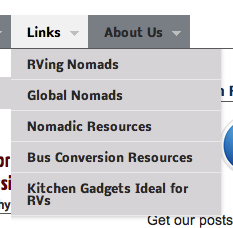
To view our new link pages, just go to the menu at the top of every page and find ‘Links’. I’m keeping several categorized link pages now – everything from other RVing nomads, global nomads, nomadic resources (including links to our mail forward service, insurance agent, small business attorney, nomadic communities and other services that help make the logistics of our lifestyle possible).
Blog Admin Tip: WP Render Blogroll Links also comes with a great bookmarklet that you place in your browser’s bookmark bar. Now whenever I’m visiting a blog or webpage that I want to link to from our site, I just click this button and it pre-fills the WordPress Link page for me. It makes it so easy to add new content to our links page.
I’m loving this method so much, that I’ve also converted our Tech Arsenal page over to this format – including links that include our Amazon Affiliate tags for the products we use and recommend. And my recent post on Kitchen Gadgets for RVs was also done via WordPresse’s links and this plugin. So as we update our kitchen with new gadgets, the post will stay fresh and dynamic.
Suggest a Link
Not only did I want a new way to organize and display links, I also wanted a way to for our readers to introduce us to other folks.
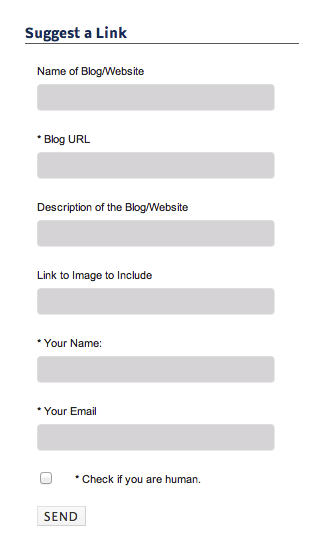
So, I found a contact form management plug-in called Custom Contact Forms that allowed me to create a form for doing just that. Using our theme’s ability to display a special sidebar for specific pages, I created a contact form and displayed it as a widget on the top right hand corner of every links page.
If you or someone you follow is someone you feel we should be following too – please do introduce us!
In the future, I might experiment with creating other types of contact forms, such as I’ve always wanted an easy way for our readers to contact us and suggest places we should see, invite us to stop in during our travels or ask questions.
Events
Another problem I wanted to solve was having a way to easily invite our readers to events we’re attending or hosting.
This has become especially relevant as we’re getting invited to speak, and we’d really love to organize more meet-ups as we travel to answer questions about nomadic life.
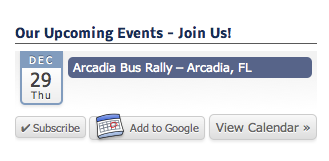
I looked into several event management plug-ins for WordPress, and decided to give All-in-One Event Calendar Plugin a shot. It creates a custom post type called ‘Events’. So when I want to add an event to our page, I just create a post there with any details I want to include.
I then installed their widget on our sidebar, which will display any upcoming events, with links to the event page. It also allows anyone to subscribe to our event calendar in their own calendar programs, including Google Calendar.
I’m sure there are many other small changes I’ve made over the past couple months. So I invite you to take a peak at our blog and poke around.
Just a tip. You should make sure you use the WordPress Cache feature (plugin?). We got slammed by Yahoo once and it saved our butts. Well, it saved our server from crashing…
Theme & logo look great. Your travels are inspiring. I’ve been following your blog for a long time. Good luck on your travels.
Thanks for following along, Chris!
Looks sweet! Liking the new format alot!
Nina
Awesome re-decoration!
I recently wondered how to make my blog mobile-friendly. Instead of making a mobile-specific site, I employed the powers of CSS Media Queries to make it responsive to the browser width. Check it out. Go into a post or the homepage and make the browser narrower. It can handle widths down to 320px, which is the iPhone portrait width. I am now in LOVE with CSS3!
This article got me going.
Huh… our theme seems to render fine on all our mobile devices without any tweaking.
Ooo, love this! I’m just getting started at blogging, and this stuff should make organizing and getting my pages set up much easier. I foresee a late night or two in my future as I poke around at these plugins. 😉
Love the new look!
And thank you for describing the what/how of the new features!