
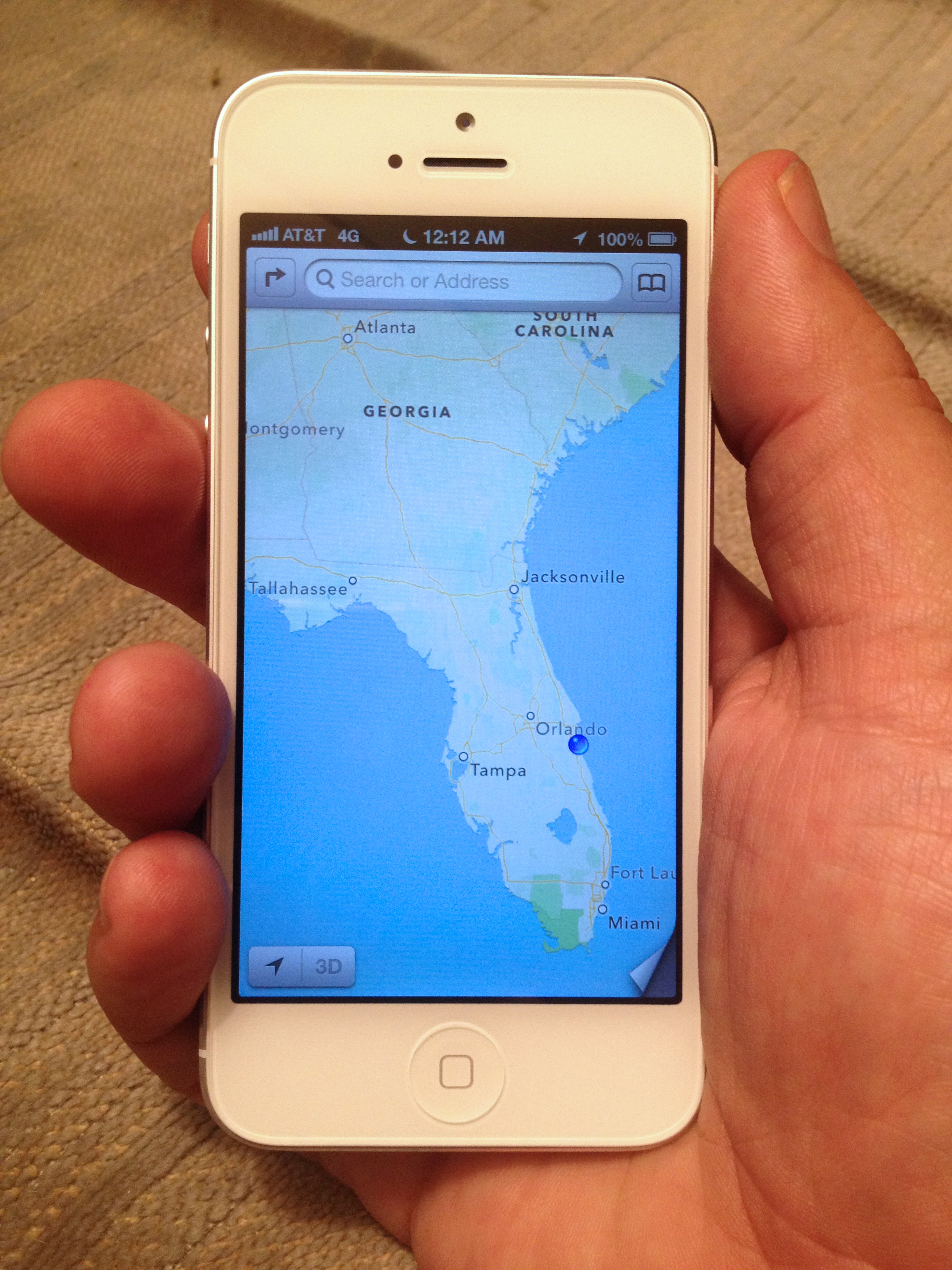
The Internet is abuzz this week about the new iPhone 5, the iOS 6 software update, and OMG how horrible Apple’s new mapping software is.
By the amount of fuss being made, you’d think that Apple had just made a catastrophic mistake and was on the verge of becoming the next RIM or Palm or other smartphone maker condemned to the dustbins of history.

But really, it’s not that bad.
We’ve been using Apple’s new map software since the first beta release of iOS 6, and it is actually pretty darn awesome in a lot of ways.
So – what is all the fuss about then?
Is it worth delaying an OS upgrade over this?
Why is this happening???
The simple answer is that Apple and Google are getting a divorce, and sometimes divorces get messy.
Google has been providing maps to Apple since the iPhone launched in 2007, and Google’s maps have gotten really really good over the years thanks to fleets of “Google Street View” cars driving up and down every street in every neighborhood taking pictures of the front of every house, building, school, business, and more. It is creepy global surveillance on a truly epic scale, but it makes for some pretty awesome and accurate maps too once all that data is processed.

Apple would probably still be happily using Google’s mapping data, if Google hadn’t decided years ago to come out with Android OS and set about trying to become Apple’s fiercest competitor in the mobile space. There was plenty of backstabbing and betrayal involved – worthy of going to “thermonuclear war” over. “Messy” might ultimately prove to be an understatement.
In the end, Apple realized that mapping was too important for mobile devices to rely on the goodwill of a competitor, so Apple began licensing data and acquiring companies to be able to launch its own mapping service.
Apple’s new Maps app made its debut last week in iOS 6, kicking Google maps out. iOS 6 also removed the built in YouTube app too, and with Siri’s voice control features evolving to support Sports and Movies and more even common search traffic is starting to get diverted away from Google too.
The Good
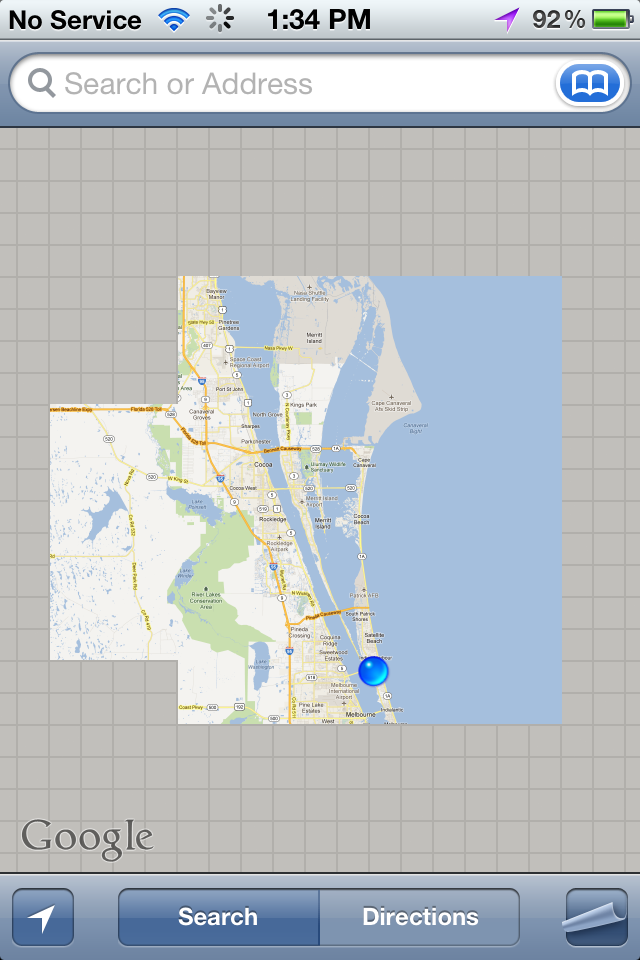
Technologically – Apple’s new map app is leaps and bounds beyond what was in iOS 5 and earlier.
Prior versions of Maps used fixed graphical tiles that needed to be downloaded from Google for every zoom level. This resulted in blurry details while zooming, and often long frustrating delays on slow network connections waiting for tiles to load.
Instead of using graphical tiles, Apple now uses vectors (aka lines and curves) to draw the details on the Maps. This is not only faster to load over a slow connection, but it allows for smooth zooming and rotation. Labels stay right-side-up, and new street names and details smoothly fade in when you zoom.
Using Maps on iOS6 is fast and beautiful.
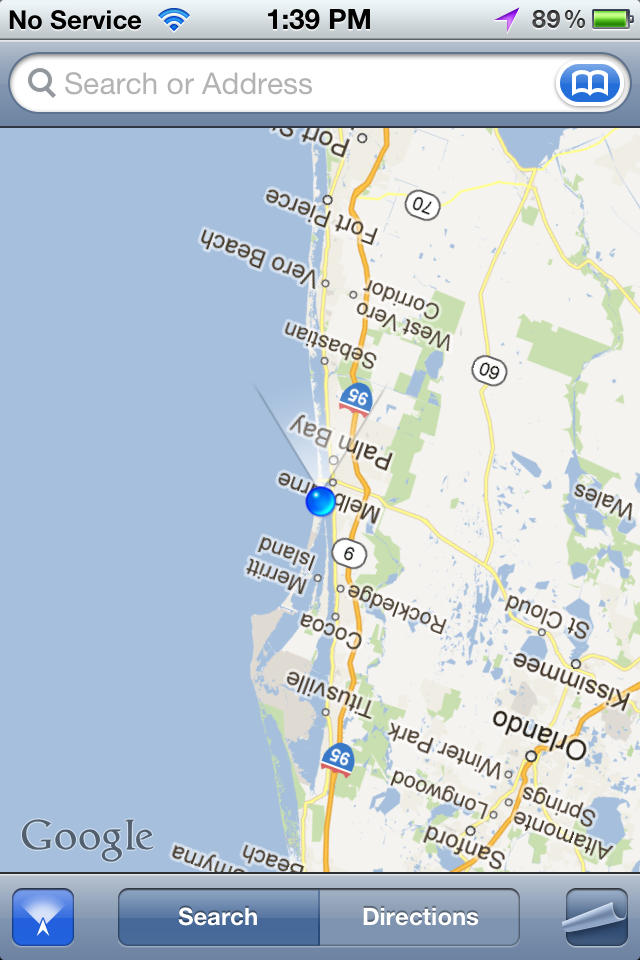
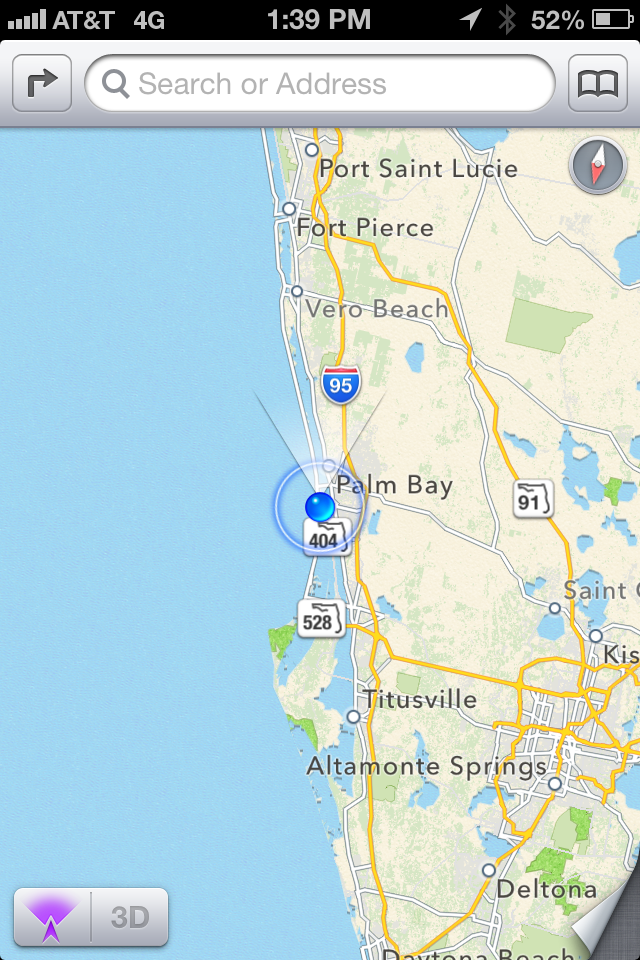
And is you want to take the eye candy to the next level, you can even enable 3D mode to see terrain and even 3D buildings in major urban areas. The level of detail is astonishing – and particularly on an iPhone 5 that speed of navigating even a detailed 3D city is superb.

And Maps on iOS 5 now at last provides spoken turn-by-turn directions too.
The Bad
So Apple’s new Maps app is faster, prettier, and more powerful. And it even talks now. Awesome!
But…
Some remote areas are lacking backroads.
Some entire countries are completely devoid of detail now.
And lots of points of interest are missing or incorrectly located.
But honestly – most people in most places in the United States won’t notice a substantial difference in their day-to-day use.
The basics are all there, and covered pretty good.
But if you look hard enough you can find plenty of issues and errors, especially if you are off the beaten path. Apple will be fixing things rapidly, but they do honestly have a lot of work to do to catch up to Google.
The key to a service like Maps is that it gets better based on learning what people search for and where they go, and since the data is all in the cloud, improvements happen without needing to wait for a new OS update. Instead of Street View cars, Apple is hiring out fleets of surveillance planes to polish up its map data.
But it is a big world, and it will take time.
And… Even though Google’s Maps are the gold standard right now, if you look closely, you’ll find that Google Maps is full of mistakes and errors too. Mapping is hard.
There are reportedly already even some areas where Apple is actually ahead of Google, especially in China. I expect the race for providing the best maps will become an interesting technology arms-race for years to come.
And us users win no matter what.
Off Route – Re-Calculating
Google has an eight year head start filling in the details, and it is inevitable that it will take Apple a while to catch up.
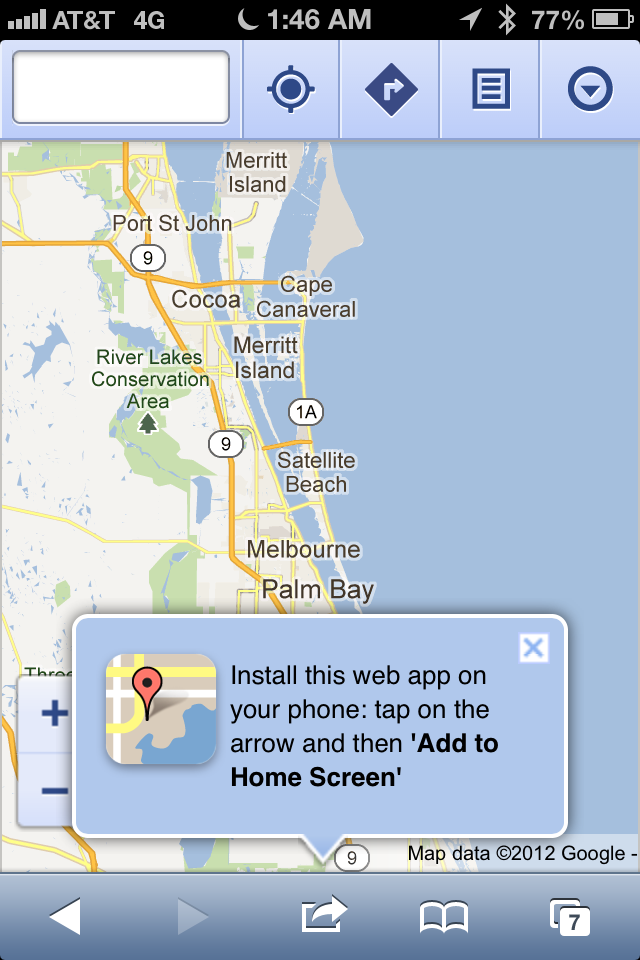
Just add a bookmark to maps.google.com on your iPhone home screen, and you will still get full access to the Google Maps you’ve grown used to. And it is almost inevitable that Google will release a full native iOS Google Maps app sooner rather than later too – they can’t risk losing so much local search traffic to Apple, no matter how bitter the divorce.
Also bookmark m.maps.nokia.com for access to Nokia’s mapping data, one of the other most comprehensive mapping data sources.
And there are plenty of other free and paid routing and navigation apps on iOS too – we’ve used Waze and MotionX and have been impressed by both.

And because iOS apps can be huge (several gigabytes or more), many of these mapping apps come with built in offline maps and points-of-interest databases, incorporating built in maps for the entire continent that keep working even when you don’t have an online connection.
I’ve yet to see a powerful fully offline navigation app released for Android, likely mostly because of memory and over-the-air download size limitations.
If you are a map app geek, there is no better place than on an iOS device with 64GB of storage, dedicating the bulk of your storage to mapping!
Transit! Where’s my bus!??
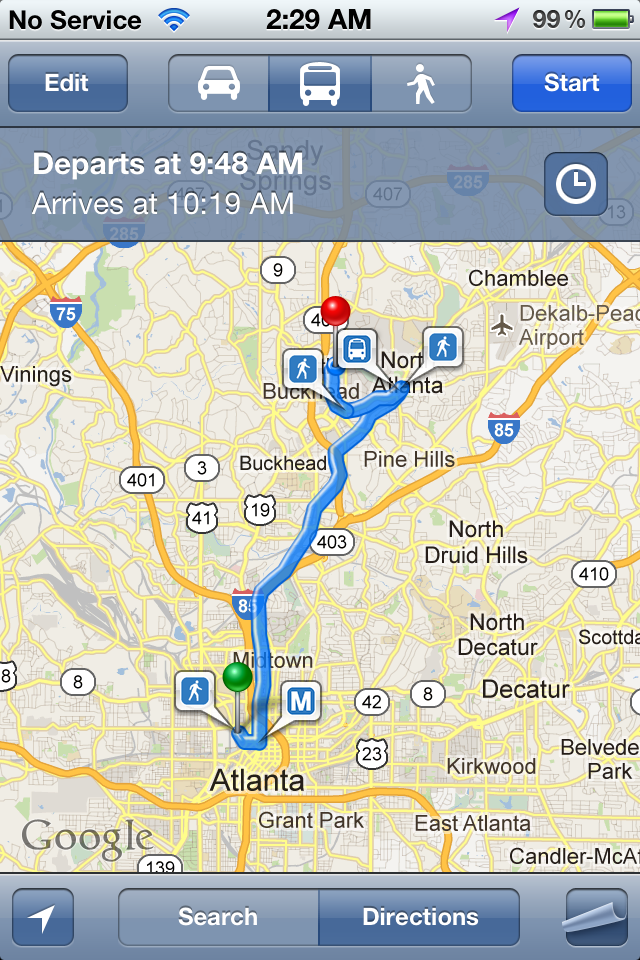
Apple isn’t even trying to replicate this functionality in the new Maps app.
Instead Apple is leaving it up to app developers to pioneer the local knowledge, deals, and unique user interfaces to create great transit navigation apps. Now when you ask for transit directions, Maps gives you a listing of apps in the app store that knows about your local area – and offers to launch any installed apps directly.
It is not as convenient as Google’s trust-us-we-know-everything method – but it is potentially ultimately more flexible and powerful.
And… Google’s transit directions are still just a click away via Google’s web maps interface.
Coverage Mapping
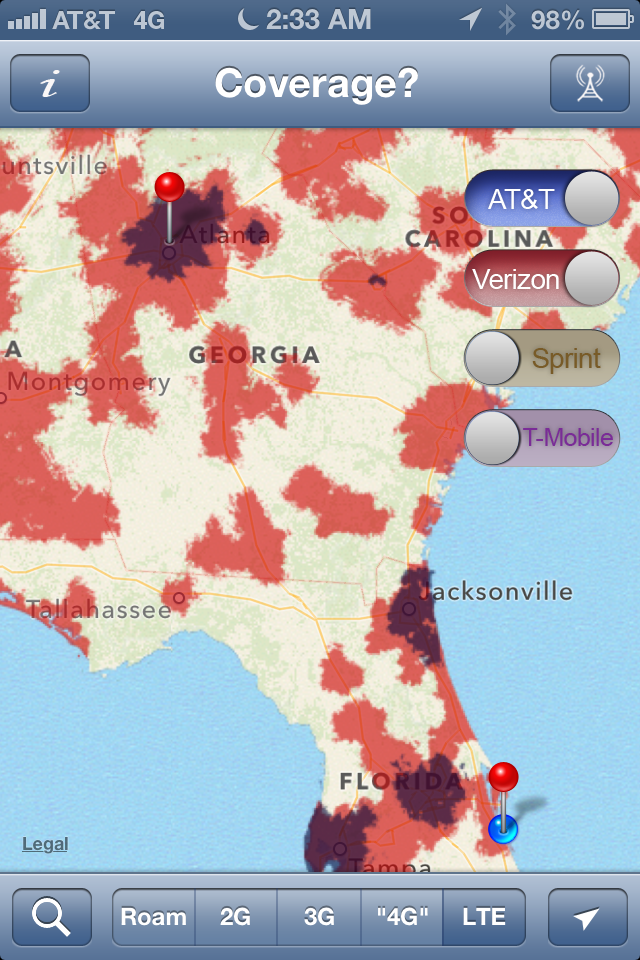
We’ve just released a new version of our app ‘Coverage?‘ that integrates with iOS6 Maps to allow you to check for the likelihood of cellular coverage at your destination, right from within the Maps app. Check it out and let us know what you think!
Maps Galore
When you consider all the wealth of mapping applications available, despite what you might have read, there really is no better platform out there for maps than iOS 6.
Don’t let the divorce scare you off from upgrading – iOS 6 is great!
Confession: I haven’t upgraded because of the maps issue, and I don’t know if I will until Google creates a maps app I can download.
Word is that Google has been showing off their new iOS maps app to testers, and that they plan to submit it to Apple soon.
I am looking forward to it. 🙂
Great job on writing such a detailed post. There is a lot of great information here about something new to everyone. Thanks for all the info!
We just upgraded to iOS6 and tried the new maps on our 395 trip south yesterday. It was very nice until we lost the map detail entirely. So, still not up to snuff for reliant navigation for us so far. But I like the look and how quickly it loads and we’re happy with the new OS. The map program has got growing pains to do, but I think it’ll get there, and the upgrade to the new OS is nice.
Nina
You don’t travel out of the country much do you?
I haven’t been out of the country much in a while, sadly.
But if I was traveling out of the country – Google’s Maps would still be accessible via the browser interface for the places where Apple is currently lacking.
And it depends on where I might travel too – there are lots of reports out saying that Apple’s maps are way ahead of Google’s throughout China.
But most importantly – if I was traveling out of the country and I didn’t want to deal with roaming data rates or finding a way to get a local SIM, on iOS I could just buy Tom Tom Europe or some other local guide with all the maps built in. You can’t beat onboard local maps when traveling in a strange country – I would never want to rely on network-based maps while driving in an area where I was that unfamiliar and didn’t even speak the language.
At the moment, no other platform gives you so much flexibility between native mapping, browser-based mapping, and apps.
Would try coverage but it is $2.99.
There are two free ad-supported versions of ‘Coverage?’ in the app store: ‘4G Finder’ and ‘LTE Finder’. Because mobile advertising pays so little (literally pennies a day), we only take the time to update these versions every so often, so the maps lag behind the full version of ‘Coverage?’ a bit.
But – it is a good free way to get a taste of what the app is like.
Or, you can just try it…
$2.99 is hardly much of a big gamble for an app with so many solidly good reviews…
Thanks for the great post. I thought for sure I’d not be able to upgrade to iOS6 due to all the negative news about Apple maps, but your post today encouraged me to go forward and give it a try. So far, so WAY GOOD! Love the speed and agree that I won’t miss the dog-slow load times of Google Maps whenever I wanted to zoom in or out of a map. The turn-by-turn will be nice to try out as well.
One question though– I couldn’t figure out how to launch Coverage from the Maps app….is there some special trick to that? Or a feature to come?
If you’ve upgraded to the latest version of ‘Coverage?’ (free update that came out yesterday), if you select the transit-type of routing (as opposed to walking or driving directions), when you click “Route” Maps will present you with a list of installed apps that can handle your routing request, as well as relevant suggestions from the App Store.
It could be a bit of an easier process, but once you’ve done it once it isn’t hard to remember how.
Thing is, in my job, I sometimes cover 2000 (or more) miles in a *week*. It’s when you start getting to these sorts of distances, and often off the beaten path, do you start to realize it’s weaknesses. 😉
I’m finding two very different camps on the Apple Maps issue the “It’s not that bad” camp, and the “WTF happened, this is hopeless” camp. I’m firmly in the latter.
The difference seems to be based on how much people rely on maps on a daily basis. I used Google Maps every day for nearly 5 years for work and have become accustomed to it’s excellent dataset, reliable (even amazing) search abilities, as well as satellite view.
Apple forcefully replaced it with a vastly inferior product. In the last 3 days at work it’s told me a bridge didn’t exist (and tried to route me 20 minutes around it another way vs taking me the 2 minutes across it to my destination), it told me a city was 400 Kilometers west of it’s actual location, and refused to find countless streets that appear unsearchable yet are actually on the map if you zoom into the general area and use the “drop a pin” feature, at which point it’ll happily lead you there. ….And this is just a small handful of the more notable situations where it proved frustrating, if not useless since I updated.
I’ve given up and started relying on Waze. It’s very interesting that it’s proven so far superior to Apple Maps since I started relying on it.
Mark – I don’t think it’s so much a matter of how much people rely on the maps, but WHERE they rely on the maps. In some areas around the world, they simply are not nearly up to snuff. And clearly, you’re in one of those areas – and are rightfully frustrated.
We very much depend on maps in our daily life – we travel full time, after all. We’ve been using Apple Maps (in beta) head-to-head against Google Maps (iOS5) since they released the iOS 6 beta to developers back in late June. In that time, we navigated from St. Louis and on up into the UP of Michigan and then back down to Florida. Yes, there were times Google and Apple were in disagreement, and heck – as the navigator I’m regularly in disagreement with them both and override their suggestions. But by and large, after over 2000 miles of navigating this past summer, we noticed remarkably few of these frustrations while traversing the eastern US.
And you are demonstrating exactly my point why iOS 6 is a great platform for maps – there are so many great alternatives!
If one application is sketchy in the area you are routing through, likely another will work just fine. In new areas it is often great to put two separate mapping apps to work to make up for each other’s weaknesses. For most of the past month or so we’ve had Google Maps on iOS 5 and Apple Maps on iOS 6 going head-to-head, and it was great.
And it is especially valuable to have an app on board that has offline maps and routing. Otherwise, sometimes the biggest navigation frustration is just waiting for Google to return a result – or to load a tile!
Thank you for this…for a non techie senior this information is helpful and awesome..I will now check out upgrading to iOS6